
Bid Tabulation Template (2026): Editable Pack and Example

On this page6
A bid tabulation template puts bids on the same scope basis. It keeps each quoted price intact. Use a distinct column to add missed costs. A blank price means a question remains.
It is not a free item and must not win a lowest-price comparison.
Keep each original bid intact. Record included work, exclusions, written answers and any added comparison amount in separate fields. Compare adjusted totals once the scope is known. Price is one part of a choice: record the schedule, required qualification evidence and selection reason beside the numbers.
Page updated 25 October 2026. Source check dates are reported separately in the text and comparison.
Bid tabulation template example
These made-up amounts show the comparison method. They are not vendor quotes or current construction rates.
| Vendor | First bid | Scope issue | Checked adjustment | Comparable total |
|---|---|---|---|---|
| Example A | 900.00 | Disposal excluded | 80.00 | 980.00 |
| Example B | 960.00 | Disposal included | 0.00 | 960.00 |
| Example C | 850.00 | Disposal and access not stated | Unknown | Open |
Scroll for more →
Example B is cheaper than A on the stated common scope. C cannot yet be ranked. This does not decide which vendor should be chosen. A required date, licence requirement or unresolved specification could change the choice.
Complete the bid tabulation template
Name the package first. Add its revision and the date. Add one row per bidder and keep the sent amount. Store the bid file record ID so someone can trace each entry back to the first file.
Create a scope checklist before filling the totals. For this example it might cover fitting, access, protection, disposal and finish date. Use “included,” “excluded” or “not stated” for each row. Avoid treating “not stated” as the same thing as “excluded”: the bidder may already have included it in another line.
Ask for a reply in writing. Record the reply date and who supplied it. If you use a comparison allowance before a reply arrives, label it as your basis note and keep it separate from the checked adjustments. Do not present an assumed figure as the bidder's revised price.
The adjusted total equals the original bid plus the confirmed scope adjustments. Use the same tax basis across all bids. If one figure includes tax and another excludes it, resolve that difference before comparing them. Do not subtract an estimated tax amount without knowing its basis.
Add non-price checks
Use columns for proposed start, finish window, lead times and needed evidence. A note saying “qualified” needs a record ID to what was checked. A quote that expires before the award date needs a fresh check instead of a silent extension in the sheet.
Write a short selection note. For example: “B includes disposal, meets the requested date and has no open scope questions.” Keep the note separate from a claim that the vendor is universally best. The sheet records this choice for this package only.
Keep the comparison current
Give each revision a date. If a bidder changes a price, keep the earlier delivery as an archived row or file. Update the comparison against the same scope version and explain what changed. Mixing an old drawing with a new price defeats the purpose of a common baseline.
The GAO guide supports documenting assumptions and updating estimates against a defined baseline. This worksheet applies that method to a small bid comparison. It does not reproduce a regulated procurement scoring system. Source checked 15 October.
Full revision date is shown above.
FAQ
Can the sheet select a winner on its own?
It should not choose a vendor from price alone. Missing amounts and scope gaps must remain open. Use the comparison total to support a choice. Then record the linked schedule, skill evidence and selection reason.
A spreadsheet cannot verify a bidder's promise or use an unstated buying rule.
Where do I track the next action?
Put the request and response in the bid tracker. That separates follow-up work from comparison maths. Use a named owner and due date so a reply does not disappear in a general notes cell. Keep both sheets tied to the same package and bid record ID.
Verdict on the bid tabulation template
Use the bid tabulation template to compare resolved scope, not to disguise missing prices. Return to the bid proposal guide for the outgoing file structure.
Inside the original file
This is the actual A4 example from the editable pack, version 1.0.0. All names, measurements, dates and amounts are invented for the form demonstration.
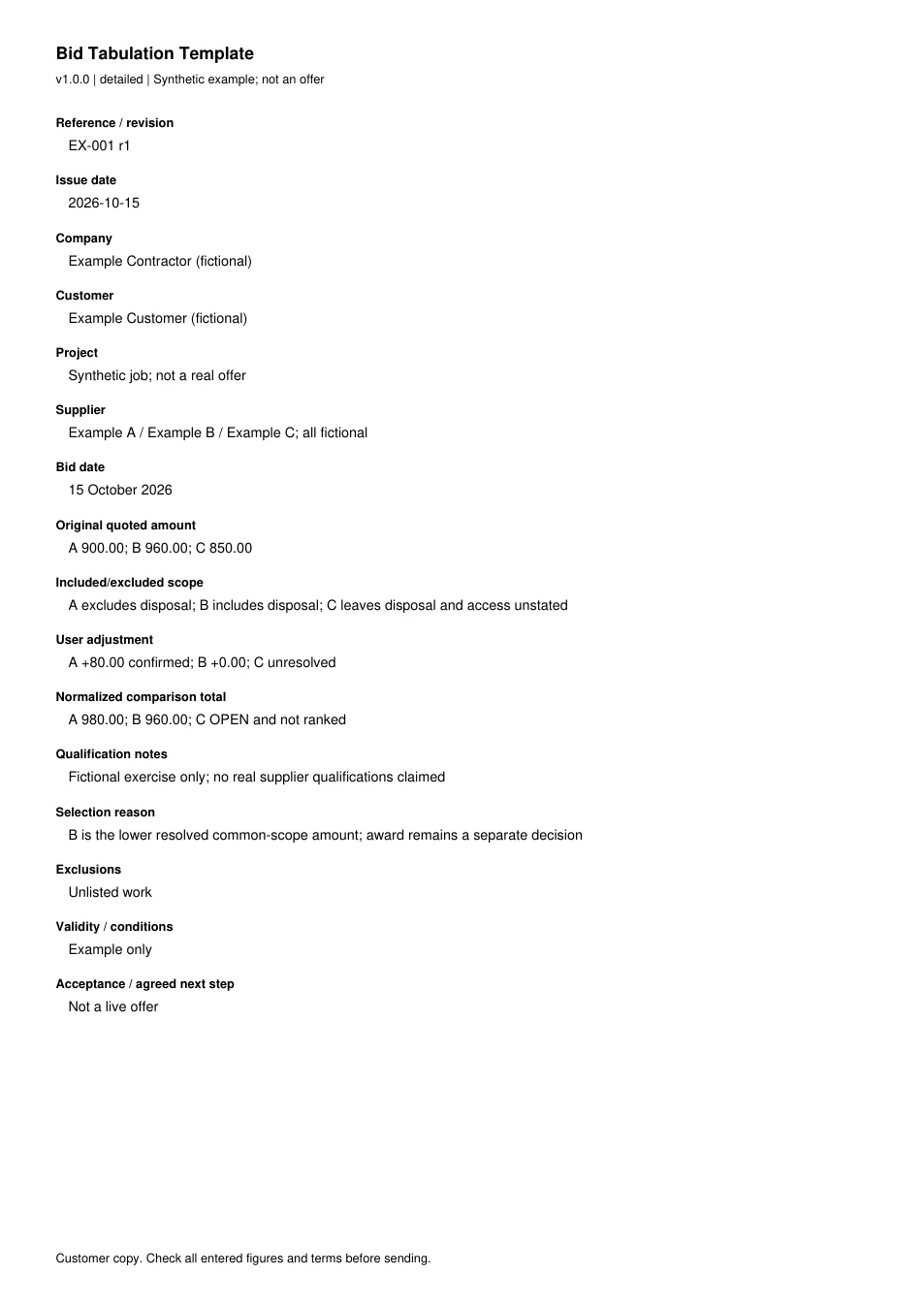
Read every field in the example
- Reference / revision
- EX-001 r1
- Issue date
- 2026-10-15
- Company
- Example Contractor (fictional)
- Customer
- Example Customer (fictional)
- Project
- Synthetic job; not a real offer
- Supplier
- Example A / Example B / Example C; all fictional
- Bid date
- 15 October 2026
- Original quoted amount
- A 900.00; B 960.00; C 850.00
- Included/excluded scope
- A excludes disposal; B includes disposal; C leaves disposal and access unstated
- User adjustment
- A +80.00 confirmed; B +0.00; C unresolved
- Normalized comparison total
- A 980.00; B 960.00; C OPEN and not ranked
- Qualification notes
- Fictional exercise only; no real supplier qualifications claimed
- Selection reason
- B is the lower resolved common-scope amount; award remains a separate decision
- Exclusions
- Unlisted work
- Validity / conditions
- Example only
- Acceptance / agreed next step
- Not a live offer