
Snow Removal Estimate Template (2026): Editable Worksheet and Example

On this page7
A snow removal estimate template separates a visit price from a seasonal offer. Name the areas, work and service trigger. A seasonal price does not forecast snowfall. It also does not promise a response time unless the actual offer states one.
Name the site, cleared areas and agreed trigger. State whether billing is per visit or seasonal. List deicing as included, excluded or optional. Keep planned visits separate from completed visits. This form does not forecast snow or prescribe a safe method. Enter the actual service terms; no default trigger is supplied.
Page updated 25 October 2026. Source check dates are reported separately in the text and comparison.
Snow Removal Estimate Template preview
| Trade field | Blank entry rule | Filled synthetic example |
|---|---|---|
| Site areas | Mark the real cleared boundary | Drive and entrance path |
| Service trigger | Enter agreed user-defined condition | No default depth or timing |
| Visit task | Set out included service | Named clearance scope |
| Visit count | Use real or stated scenario basis | User-entered planning count |
| Per-visit amount | Label the service unit | One defined visit |
| Seasonal option | State period and real terms | Separate user-entered seasonal offer |
| Deicing | Keep chosen or optional scope clear | Unselected deicing option |
| Exclusions | Name limits and work by others | Unlisted areas excluded |
Scroll for more →
Define the service condition
State the trigger and response terms that apply. Do not copy a default depth or time promise. Name each drive, path or other included area. Record access assumptions and client duties. This is a scope record, not operating guidance.
A visit estimate and a seasonal contract need distinct labels. You can model a stated visit count times a visit price. That is a scenario, not a forecast or proof of the agreement. Keep its basis visible.
Compare billing options
In the made-up example, the user enters a per-visit offer and a separate seasonal option. The seasonal period and limits are stated by the contractor. Deicing is an unselected option rather than an assumed part of every clearance visit.
Compare those options using your own scenario counts. Do not claim one is always cheaper from an invented weather pattern. If the client selects an option, issue the matching scope and billing terms under a clear record ID.
Keep service records
Record actual visits separately from estimates. Keep each date, service reference and task in the work record. A planned count does not prove a billable visit. Check the agreement before billing another trigger or extra area.
For other recurring outdoor work, see lawn care. For payment records, use the invoice guide. The GAO method supports clear basis notes, checked 15 October. It does not supply a weather forecast or a service safety standard.
Compare two billing offers using stated scenarios
This fictional site has a defined drive and entrance path. The proposed visit price is $95 for the named clearance scope. A separate invented seasonal offer is $900 for a specified period and stated service limits. These are example selling amounts, not market rates or recommended terms. No forecast of future visits is built into either figure.
At six visits, per-visit billing would total $570. At ten visits, it would total $950. At fourteen visits, it would total $1330. The $900 option sits between nine visits at $855 and ten at $950.
These sums do not say which count is likely. They do not prove that the two offers have the same limits. Read those limits before judging value.
Keep deicing outside both amounts in this exercise. Suppose a separately defined deicing service has an example price of $30 per selected application. Six applications would add $180. They are applications, not automatically six clearance visits. If only some clearance visits include that selected service, count the actual selected or completed applications under the agreed billing rule.
Check the private cost behind a visit
An invented task plan has 1.5 person-hours at a $30 cost rate, or $45 labour. Add $15 of defined equipment and travel cost for a $60 known visit cost. At the example $95 selling amount, the difference is $35 before any omitted cost or tax treatment. This is a check of the stated scenario, not proof of profit on a real site.
For a seasonal offer, the number of services affects cost even when the client amount is fixed. Rework that scenario using your own task basis and actual contract limits. Do not use the example's difference as a guaranteed margin or a snowfall assumption.
Tie the bill to the agreed service unit
State what counts as one visit in the real offer. A storm is not the same as an arrival or a finished task. Use the agreed terms to record extra work and returns. This sheet does not choose a trigger or a safe way to clear snow.
Use a site boundary sketch to distinguish the drive, path and excluded areas. If the client adds another entrance, check its task and access basis before changing either option. Keep the accepted option obvious in the outgoing file; two scenario columns should not look like two amounts due.
The pack cost-field reference explains common price inputs. Keep these visit scenarios, deicing selections and real service terms with the snow estimate so a planning count never becomes a false record of completed work.
FAQ
How do I keep a return visit clear?
Give the return its own dated service entry. State the site areas and tasks covered. Link it to the agreed terms for returns rather than assuming that one weather event equals one bill. If the visit adds an area, note that change too. Keep the client request with the record. The service log should explain the charge without changing the first visit's facts. This form sets no default rule for how many returns are due or how they should be priced.
Keep the accepted site map with the selected billing option and service period.
Does the worksheet predict seasonal visits?
No. A visit count is either a user-entered planning scenario or a record of real service, and the two must remain distinct. The form supplies no snowfall forecast. State the real seasonal period and conditions instead of presenting an invented count as guaranteed future work.
Is deicing included by default?
No default service is assumed. State if it is included, excluded or an unselected option, with the real work basis. If chosen later, record the changed scope and price. This price form does not prescribe goods, application rates or safety claims for a site.
What should a completed visit record contain?
Keep the actual date, site and service reference. List the areas cleared and any extra task performed. Link the entry to the agreed billing basis. A planned date alone is not proof of a visit. Check the service log against the invoice before you send it.
Verdict on the snow removal estimate template
Use the snow removal estimate template to state the service and billing basis before the season starts. Keep actual visits separate from scenarios. Check the pack arithmetic, then use the trade directory for other outdoor work.
Inside the original file
This is the actual A4 example from the editable pack, version 1.0.0. All names, measurements, dates and amounts are invented for the form demonstration.
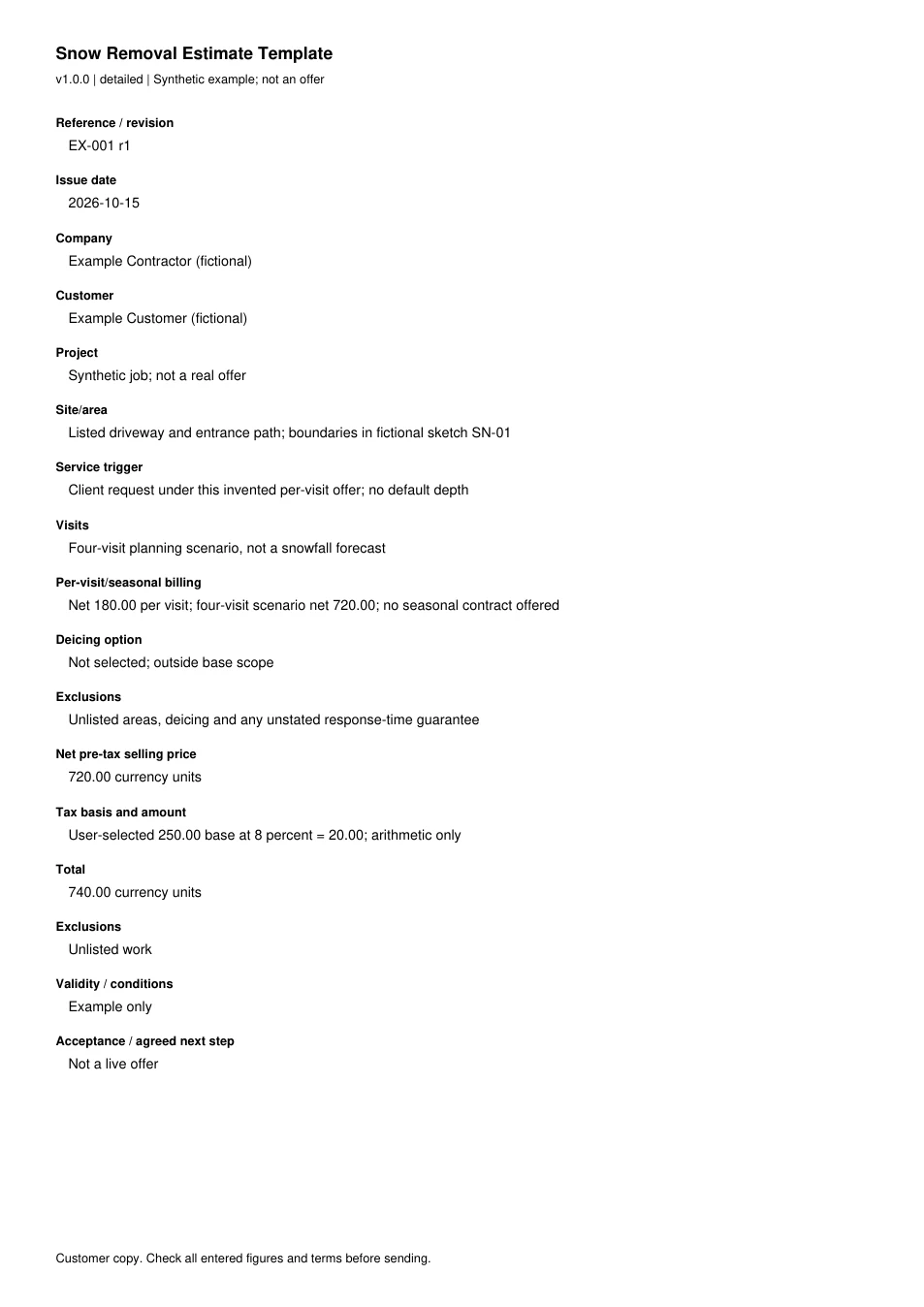
Read every field in the example
- Reference / revision
- EX-001 r1
- Issue date
- 2026-10-15
- Company
- Example Contractor (fictional)
- Customer
- Example Customer (fictional)
- Project
- Synthetic job; not a real offer
- Site/area
- Listed driveway and entrance path; boundaries in fictional sketch SN-01
- Service trigger
- Client request under this invented per-visit offer; no default depth
- Visits
- Four-visit planning scenario, not a snowfall forecast
- Per-visit/seasonal billing
- Net 180.00 per visit; four-visit scenario net 720.00; no seasonal contract offered
- Deicing option
- Not selected; outside base scope
- Exclusions
- Unlisted areas, deicing and any unstated response-time guarantee
- Net pre-tax selling price
- 720.00 currency units
- Tax basis and amount
- User-selected 250.00 base at 8 percent = 20.00; arithmetic only
- Total
- 740.00 currency units
- Exclusions
- Unlisted work
- Validity / conditions
- Example only
- Acceptance / agreed next step
- Not a live offer