
Estimate Template Excel (2026): Editable Pack and Instructions

On this page6
An estimate template Excel file is useful when quantities and cost changes need to flow into a checked total. The pack's private workbook separates materials, labour and other costs from the client selling price. Enter your own inputs; the blank version has no assumed market rates.
Use the Inputs tab for job details and price basis notes. Then add cost lines with units and inclusion choices. Read the Cost Summary only after the input state is complete. Send a separate client file. The client preview tabs do not remove private details from the workbook that contains them.
Page updated 25 October 2026. Source check dates are reported separately in the text and comparison.
Estimate template Excel tabs
| Tab | What it does |
|---|---|
| Read Me | Entry rules, source links and file version |
| Inputs | Job details, indirect amount, contingency, markup, discount and tax |
| Materials | Quantity times cost for each included material line |
| Labor | Hours times your cost per hour |
| Other Costs | Other included job costs and optional items |
| Cost Summary | Cost basis, selling amounts, tax, total and payment balance |
| Sell Allocation | Pro rata selling lines with a cent remainder |
| Milestones | Three user-entered shares that must total one hundred percent |
| Follow-up | Status, action, owner and due date |
Scroll for more →
Fill the estimate template Excel file
Save a new job copy before entering client details. Use the reference and revision in the filename. Enter a currency label so each amount is clear. Set every required percentage or amount yourself, including an explicit zero where none applies.
On the cost tabs, label the unit before entering a rate. Hours need a cost per hour, while a pack amount needs a matching pack cost. Enter Yes to include a line or No to exclude it. A described line with missing amounts, rates or inclusion remains open.
Check the worked workbook
The synthetic example has direct cost 500, indirect cost 50 and a cost basis of 550. Contingency brings that to 605. Markup produces a pre-discount selling price of 726. Then a fixed discount makes net selling price 720.
The user-chosen tax adds 20, giving total 740 and balance 540 after payment 200.
These are invented currency units. Recalculate them before changing the file. A blank needed input must not produce the same ready state as zero. If you change the discount or taxable selling amount, check both tax and balance again.
Do not treat the summary as a substitute for checking scope.
The workbook uses Excel ROUND to make the cent rule clear. Source checked 15 October. Full revision date is shown above. Formula cells are grey and protected without a password to reduce accidental edits.
That protection is not confidentiality or security.
Make a client file
Copy checked selling amounts into a new Word file or PDF form. Do not send the private workbook with hidden tabs. The main example explains the full price sequence and the difference between markup and margin.
FAQ
Does Excel choose the tax rate?
No. The user supplies both the applicable rate and the net selling amount to which it applies. The workbook does arithmetic with those entries. It does not infer location, decide whether labour is taxable or determine how a discount changes a jurisdiction's taxable base.
Resolve that basis before release.
Can I add more lines?
You can edit your copy, but added rows must reach every related formula and validation range. Check the direct-cost sum and pro rata allocation, including its last-line remainder. Run the example after changes and compare the client total. A row that looks correct can still sit outside a summary range.
Verdict on the estimate template Excel file
Use the estimate template Excel workbook for private costing. Keep the sent client file separate and tied to the same revision.
Inside the original file
This is the actual A4 example from the editable pack, version 1.0.0. All names, measurements, dates and amounts are invented for the form demonstration.
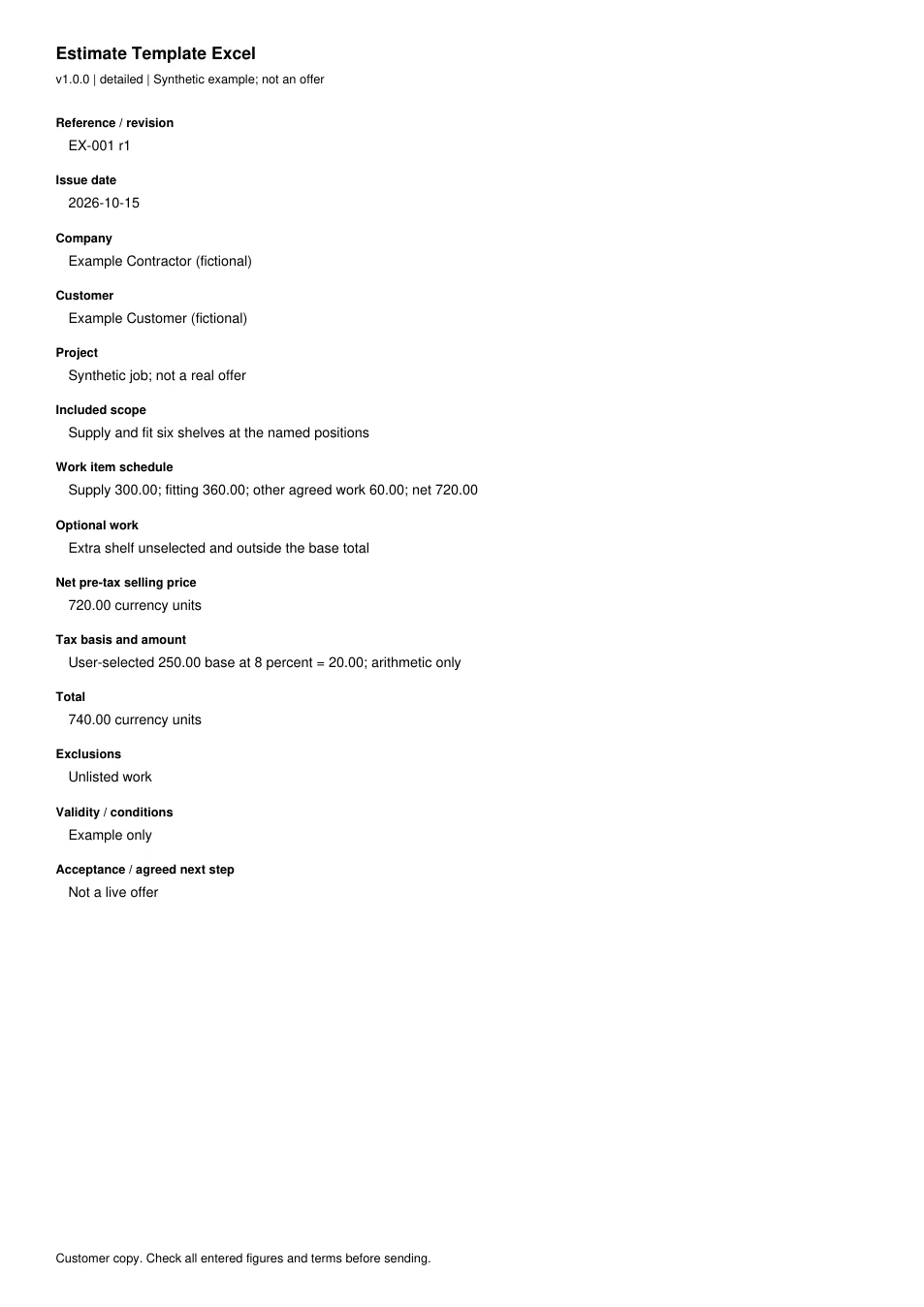
Read every field in the example
- Reference / revision
- EX-001 r1
- Issue date
- 2026-10-15
- Company
- Example Contractor (fictional)
- Customer
- Example Customer (fictional)
- Project
- Synthetic job; not a real offer
- Included scope
- Supply and fit six shelves at the named positions
- Work item schedule
- Supply 300.00; fitting 360.00; other agreed work 60.00; net 720.00
- Optional work
- Extra shelf unselected and outside the base total
- Net pre-tax selling price
- 720.00 currency units
- Tax basis and amount
- User-selected 250.00 base at 8 percent = 20.00; arithmetic only
- Total
- 740.00 currency units
- Exclusions
- Unlisted work
- Validity / conditions
- Example only
- Acceptance / agreed next step
- Not a live offer