
Estimate Template Google Docs (2026): Editable Pack and Instructions

On this page9
An estimate template Google Docs copy is useful when the scope needs shared editing before you issue a client offer. Start from the pack's Word layout and open a private copy in your own account. Keep costing in a separate workbook and transfer only checked selling amounts.
Google Docs can hold the client file, including scope, exclusions, price, tax and acceptance fields. It does not turn a manually entered table into a checked cost model. Control who can edit, name the issued revision and export a separate client file. Review the exported pages rather than assuming that the editing view is the final offer.
Page updated 25 October 2026. Source check dates are reported separately in the text and comparison.
Estimate template Google Docs setup
The source is an original DOCX layout. Upload a private copy to your own account, then open it with Docs. Follow Google's file guidance for opening, copying and downloading files.
Checked 15 October. Full revision date is shown above.
There is no public master file to fill with client details. Each job should begin with your own blank copy. Keep the unchanged blank file so you can start a second job without accidentally carrying over a previous client's address, price or exclusions.
Choose simple for a short scope, detailed for more work items or phased for agreed milestone amounts. The layout should match how the client needs to understand the job. Do not pick a phased form just because it looks more complete if no milestone agreement exists.
Estimate template Google Docs fields
| Field | How to use it | Review point |
|---|---|---|
| Company | Enter the real seller identity | Remove the made-up example name |
| Client | Name the chosen client | Check the spelling and job record ID |
| Record id | Use an estimate number and revision | Match the private costing version |
| Date | Enter the issue date | Do not confuse it with a visit date |
| Project | Set out the location or work package | Make the scope unambiguous |
| Scope | List included tasks and amounts | Do not rely on a broad trade label |
| Selections | Name chosen goods and finishes | Mark undecided items as open |
| Exclusions | State work outside the offer | Avoid implying it is included elsewhere |
| Selling lines | Copy checked client prices | Leave out unit costs and margin |
| Tax | Enter the resolved basis and amount | No automatic jurisdiction rule is supplied |
| Total | Match net price plus tax | Recheck after each price change |
| Validity | State an actual date and conditions | Check relevant supplier expiry dates |
| Milestones | Enter agreed payment amounts | Their sum must equal the stated total |
| Acceptance | Explain the client's next step | Match the real agreement process |
Scroll for more →
Keep drafting and issue separate
A shared draft may change while someone reviews it. Decide who may change scope and who may change price. Give the file a clear revision record ID before sending an offer. A filename such as “latest” becomes hard to trace once several copies exist.
Use comments to ask questions while drafting, but resolve them before release. A note about a possible discount should not remain beside the client's final price. Review suggestions and any accepted changes for their effect on amounts, tax and milestones.
Version history can help explain edits in your own account. It is not a substitute for keeping the exact issued client file. Save the sent PDF or file with the record ID and revision. Keep the related email or delivery record privately so a later update can be compared with what was actually sent.
Use checked selling amounts
The private workbook is the place for cost math. It separates amounts, labour hours, indirect amounts, contingency, markup and discount. The Docs client layout receives the resulting selling amounts. Its table cells do not promise automatic updates when you change scope text.
In the synthetic pack example, the net selling price before tax is 720 currency units. The user-declared tax is 20. So total is 740. If 200 has been paid, the first total remains 740 and the balance is 540.
These are made-up numbers for checking the transfer, not a price suggestion.
When a client changes a finish, go back to the costing. Update the linked amount or rate there and record the revised scope. Then copy the new selling amounts into a new file revision. Editing only the final total breaks the link between the work scope note and its price.
Record optional work clearly
Put an unselected option outside the included total. Label what selecting it changes. An option might add a task, replace a material or remove part of the base scope. Those are distinct operations.
So a single unlabeled price difference is not enough.
For example, an imaginary room estimate may include wall work but leave a ceiling finish as a separate option. The scope should say if the ceiling price adds to the base total. If the client selects it, issue an updated record ID with the chosen scope and total rather than leaving two clashing versions in circulation.
Do the same with allowances. Name the item, the basis and the way the final selection changes the price. A template cannot decide the legal or tax effect of that adjustment. Keep the open choice visible until the real selection and agreement are recorded.
Restrict access to the right file
Check the account and sharing settings before entering client details. People who need to review the scope may not need to see private costs. Give them the client file rather than the costing workbook. Do not solve a permissions problem by opening a sensitive file to everyone with a link.
Use only the client details needed for the offer. Remove other-job examples, internal notes and supplier details from the outgoing copy. A file can contain private information in comments, extra pages or pasted tables even when the first page looks clean.
If you share an editable client file, understand that the client may change it. Keep a fixed issued copy for your own record and state the agreed response method. This page does not prescribe a particular signing service or claim that any sharing choice creates a binding contract.
Check the exported file
Download or print the client output. Then reopen that output as a separate file. Review every page. Check that the record ID, scope and total agree with the costing revision.
Make sure text is not clipped inside a cell and that an amount is not separated from its label by a page break.
Select Letter or A4 deliberately. Long scope text can push an acceptance field onto a mostly empty extra page. Use a named attachment for a large schedule if needed. Keep its number and revision in the main file so the client knows which schedule belongs to the offer.
The PDF format guide explains the fixed form alternative. The Word guide covers a local editing copy. The homepage example gives the complete arithmetic sequence and client-data separation checks.
FAQ
Does the Docs file calculate the estimate?
The supplied layout uses manual selling amounts. It is a client file rather than a cost engine. Calculate and verify the price in the private workbook. Then transfer it.
After any scope change, return to the costing and recheck the resulting file instead of assuming a table total has updated itself.
Can I send a link instead of a PDF?
Choose the review or issue method that fits your real agreement process and privacy needs. Check permissions and keep a fixed copy of what you issued. An editable link and an attached PDF create distinct records. This page does not claim that either method alone proves acceptance or fixes legal terms.
How do I stop another job's details carrying over?
Start each job from the unchanged blank layout. Replace all example text and search the full file for the old record ID and client name. Check tables, comments, headers and extra pages. Keep the job filename tied to its record ID so a reusable master does not become a mixed client record.
What if the imported layout changes?
Review the converted file before entering live details. Check table widths, page size and the position of totals. If the layout does not suit your content, adjust your private copy and inspect a fresh export. The pack supplies ordinary files, but an import is not represented as a verified identical rendering.
Verdict on the estimate template Google Docs copy
Use the estimate template Google Docs layout for scope editing and client presentation. Keep costs elsewhere, control access and verify the issued output against the checked price.
Inside the original file
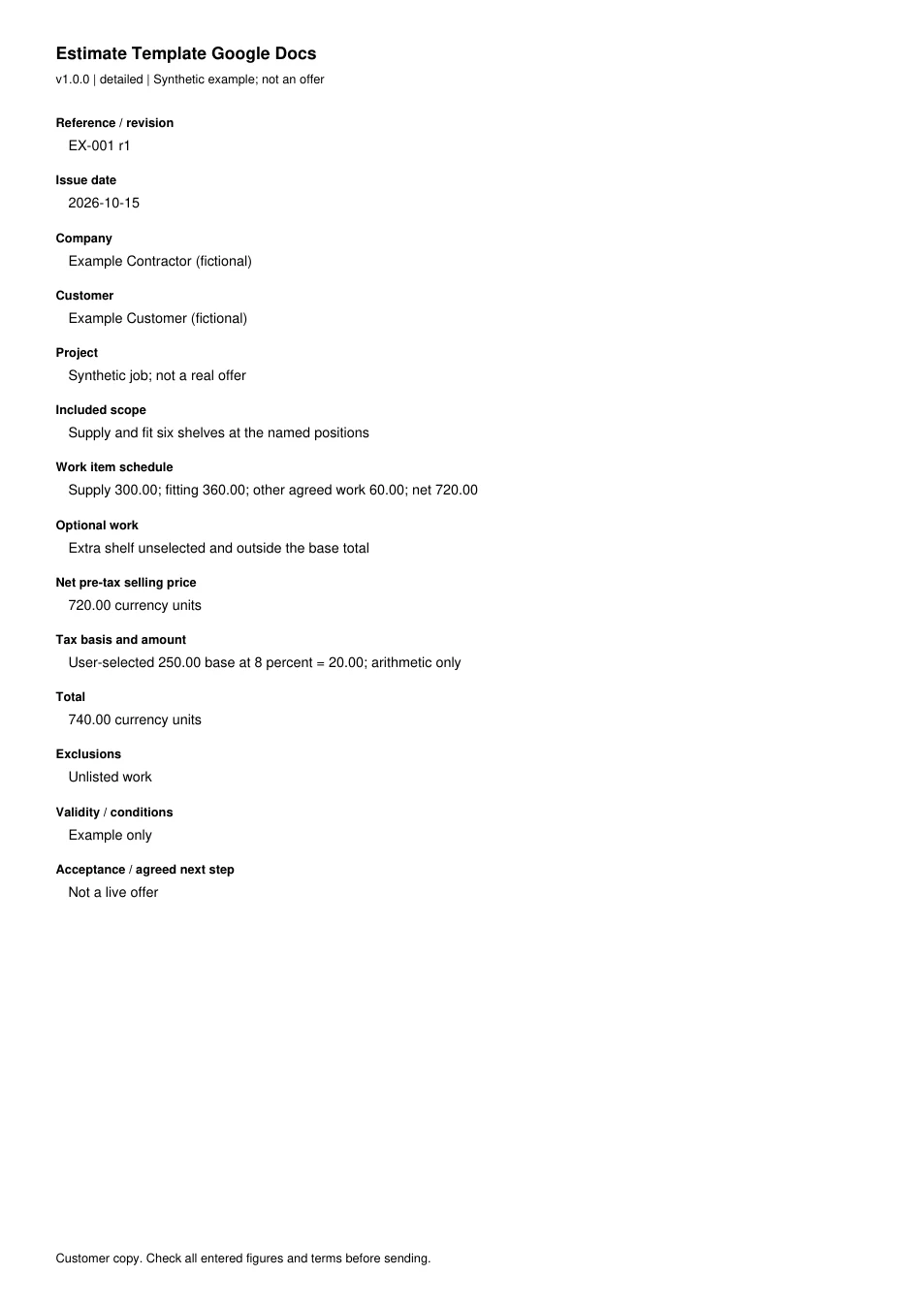
This is the actual A4 example from the editable pack, version 1.0.0. All names, measurements, dates and amounts are invented for the form demonstration.
Read every field in the example
- Reference / revision
- EX-001 r1
- Issue date
- 2026-10-15
- Company
- Example Contractor (fictional)
- Customer
- Example Customer (fictional)
- Project
- Synthetic job; not a real offer
- Included scope
- Supply and fit six shelves at the named positions
- Work item schedule
- Supply 300.00; fitting 360.00; other agreed work 60.00; net 720.00
- Optional work
- Extra shelf unselected and outside the base total
- Net pre-tax selling price
- 720.00 currency units
- Tax basis and amount
- User-selected 250.00 base at 8 percent = 20.00; arithmetic only
- Total
- 740.00 currency units
- Exclusions
- Unlisted work
- Validity / conditions
- Example only
- Acceptance / agreed next step
- Not a live offer