
Estimate Template PDF (2026): Editable Pack and Instructions

On this page5
An estimate template PDF gives you a stable form for client scope and selling amounts. The pack has blank fillable forms and filled examples in Letter and A4 sizes. The PDF totals are manual. Use checked costing before you enter them.
Fill the client, project, record ID, scope, selling amounts, tax and next-step fields. Save a job copy and reopen it to check that entries remain visible. The form does not calculate a price or choose tax rules. Print preview at the chosen paper size before sending the client copy.
Page updated 25 October 2026. Source check dates are reported separately in the text and comparison.
Estimate template PDF layouts
Choose simple for a small defined task, detailed for line-by-line scope or phased for a milestone schedule. The examples show file structure with made-up names and invented amounts. Replace every example value before use. Do not present an example as your own completed project.
| PDF choice | Use | Limit |
|---|---|---|
| Blank fillable Letter | US Letter client form | Manual arithmetic |
| Blank fillable A4 | A4 client form | Manual arithmetic |
| Filled example | Check placement and field meaning | Not a real offer |
| Phased form | Agreed milestone amounts | Shares must match to total |
Scroll for more →
Fill the estimate template PDF
Save a separate file for each job. Enter the estimate number and revision first. Fill the scope with the real deliverable, not a broad trade name. State excluded work and any open selections beside the scope.
Do not hide an open allowance in a final-sounding total.
Transfer net selling price and tax from your checked costing. Keep payments separate if the file records them. A deposit already received reduces the balance. It does not reduce the first offer total.
Recheck the client and every amount after saving.
The Excel workbook supports the private math. The homepage example shows how a synthetic total of 740 follows from net selling price 720 and tax 20. Those numbers are a check case, not pricing advice.
Print and accessibility checks
Use the correct paper version. Check each page for cut-off text and totals split from their labels. Long scope text may exceed a form field's visible space even if the viewer accepts more text. Use a detailed Word file when you need a longer narrative or an attachment schedule.
PDF viewers differ in their treatment of form fields. Reopen the saved file in the viewer the client is likely to use where possible. Keep a readable plain-text scope or Word equivalent if a filled form is hard to use. Do not assume that typed text proves a file has an accessible reading order.
For editable prose, see the Word format. For shared editing in your own account, see Google Docs. Google's file download help explains export choices. Checked 15 October.
Full revision date is shown above.
FAQ
Will the PDF calculate totals?
No. These forms give entry fields rather than a price engine. Calculate and check the selling amounts in your private costing file. Then transfer them.
Check the typed tax and total after saving. If a scope quantity changes, update the costing before changing the client price.
Should I flatten the filled form?
Choose an output that preserves the entered values and stays readable. Keep the editable original in your own records. If you export or print to a new PDF, reopen it and inspect every page. A viewer's flattening action is not a substitute for checking the result.
Verdict on the estimate template PDF
Use the estimate template PDF for a checked client copy when its field space suits the job. Keep formulas in the private workbook and verify the saved form.
Inside the original file
This is the actual A4 example from the editable pack, version 1.0.0. All names, measurements, dates and amounts are invented for the form demonstration.
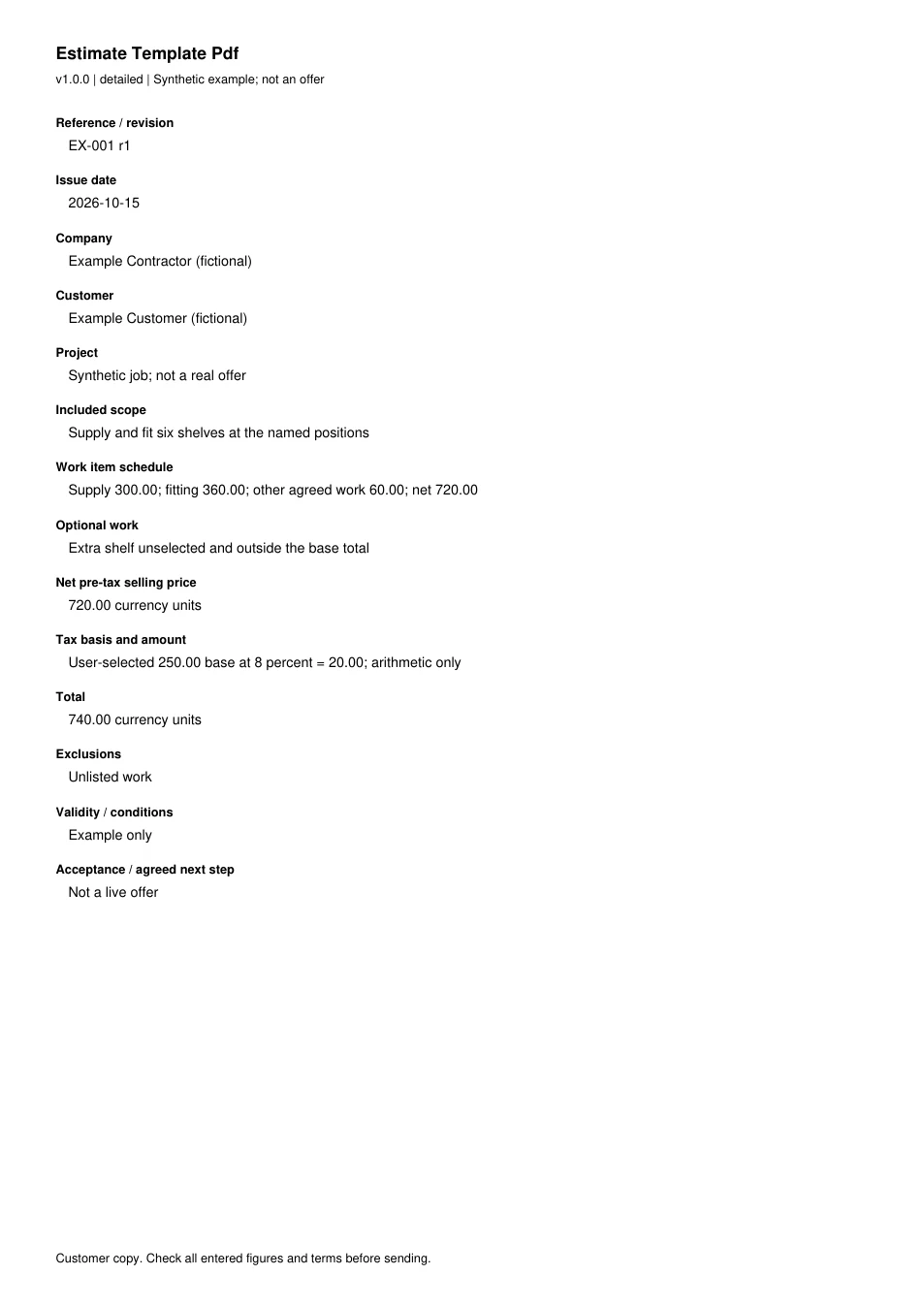
Read every field in the example
- Reference / revision
- EX-001 r1
- Issue date
- 2026-10-15
- Company
- Example Contractor (fictional)
- Customer
- Example Customer (fictional)
- Project
- Synthetic job; not a real offer
- Included scope
- Supply and fit six shelves at the named positions
- Work item schedule
- Supply 300.00; fitting 360.00; other agreed work 60.00; net 720.00
- Optional work
- Extra shelf unselected and outside the base total
- Net pre-tax selling price
- 720.00 currency units
- Tax basis and amount
- User-selected 250.00 base at 8 percent = 20.00; arithmetic only
- Total
- 740.00 currency units
- Exclusions
- Unlisted work
- Validity / conditions
- Example only
- Acceptance / agreed next step
- Not a live offer