
Window Cleaning Estimate Template (2026): Editable Worksheet and Example

On this page7
A window cleaning estimate template states what is being counted and which sides are included. Keep panes, whole window units, screens and access distinct. A count without that basis can make two offers look comparable while covering distinct work.
Record the window or pane unit, inside or outside scope, screens, access, visit basis and optional work. Use your own labour and cost inputs. State known limits and exclusions. The worksheet supplies no fixed cleaning time, access method or restoration guarantee, and it does not turn a window count into proof of safe access.
Page updated 25 October 2026. Source check dates are reported separately in the text and comparison.
Window Cleaning Estimate Template preview
| Trade field | Blank entry rule | Filled synthetic example |
|---|---|---|
| Count basis | Choose pane or whole unit and label it | Exterior pane count in the example |
| Location | Name room or elevation | Ground and upper areas separate |
| Sides | State included side | Outside only in the base scope |
| Screens | Count and define cleaning if included | Screens listed apart |
| Access | Record real basis notes | Upper access open |
| Visits | State one-off or recurring basis | One defined visit |
| Optional work | Keep unselected tasks outside total | Inside cleaning optional |
| Exclusions | Name restoration or other work not included | Unlisted specialist treatment excluded |
Scroll for more →
Choose a count unit
A window unit can contain several panes. Decide which unit your offer uses and keep that same basis in the amount and rate. Record locations so a changed count can be checked. Do not mix pane and whole-unit prices in one unlabelled total.
Separate inside and outside work. Screens, tracks or other details need their own scope if included. A general window-clean line should not imply every component or every type of treatment. State access basis notes without supplying an unsafe method.
Exterior with inside option
A made-up client requests exterior panes only. The worksheet records that count and a separate screen line. Inside cleaning is an unselected option. Upper access remains open until the real need is known.
So a complete final price is not yet claimed.
When the client selects inside work, update the count basis and scope. Do not simply double an outside amount unless that is your real checked pricing basis. The new version should name what changed and which areas are now included.
Client output checks
Show the count unit, sides, screens and exclusions. Keep the private task-time and cost detail separate. If a recurring schedule is offered, state visit frequency and the billing rule. A one-off example does not check a recurring price.
For a wider premises schedule, see commercial cleaning. For other surfaces, use pressure washing. The scope method follows the GAO guide, checked 15 October. It supplies no glass-treatment performance claim or access instruction.
Reconcile panes, sides and screens before costing
This fictional survey has eight window units with two panes each, plus four single-pane units. The exterior pane count is twenty: sixteen plus four. If both sides of every pane enter the service, that becomes forty pane-sides. It is not forty windows. State which of those units appears in the quote so a client can compare it with another offer.
The base service here covers twenty exterior panes and six named screens. Upper access has been resolved for the hypothetical task plan. That is an explicit scenario assumption, not a method supplied by this worksheet. If your real access remains unknown, keep the associated cost and final price open.
Suppose the example allows two person-hours for exterior glass, half an hour for screens and half an hour for setup. Three person-hours at an invented $27 cost rate gives $81. Add $8 of consumables, $18 travel and $35 for the defined access-cost basis. Known base cost is $142. The calculation does not prescribe a pane-cleaning speed or an access system.
Check an inside-cleaning option separately
An inside option has twenty pane-sides in this survey. Its fictional task plan adds 1.5 person-hours and $4 of consumables. Extra cost is $44.50, making the combined known cost $186.50 when selected. It does not double the exterior base because the example shares travel and some setup while using a different task-time basis indoors.
If the client asks for the inside service on another date, revisit travel, entry and setup. Do not reuse the $44.50 same-visit addition as a complete separate-visit price. Check who clears window access and which belongings or furniture remain outside your moving duty.
Name tracks and restoration limits
Six screens in the record do not imply that all twelve window units have screen service. Identify the six actually included. Tracks, frames and specialist stain or residue treatment need their own service descriptions if offered. The base example includes none of that unlisted work.
Compare the outgoing count with the survey by elevation or room. A changed unit can have more than one pane, so adding one “window” is not always adding one pane. Keep the updated count and selection state together before recalculating task time or price.
Use the common pack field reference for later pricing inputs. This window survey, side choice and screen list remain the quantity evidence. A correct total cannot repair a quote that uses the wrong count unit or implies unpriced restoration.
FAQ
What if only some inside panes are selected?
Name the rooms and panes on the inside list. Keep that count separate from the exterior survey. Do not double all twenty exterior panes when the client has chosen only part of the inside work. Check setup and access for the selected rooms and price that task basis. The outgoing scope should list both sides clearly. Save the selection with the survey so a later visit uses the accepted room list rather than a guess from the total window count.
How should a changed window count be checked?
Record the room or elevation where the count changed. Note the number of panes within the added unit and which sides are selected. Check whether another screen is included. Then revise the task basis. Keep the first survey so the new price can be matched to a real count change rather than an unexplained extra charge.
Should I count panes or complete windows?
Use the unit that matches your real offer and state it plainly. Keep the same unit in amounts and rates, and record locations for checking. A complete window can contain several panes. Do not compare two totals as equivalent until their count units, included sides and component scope are resolved.
Are screens and tracks automatically included?
No automatic inclusion is assumed. Name each component you offer and its work limit. Put unselected extras outside the base total. Then revise the scope if they are chosen.
A general window-cleaning title should not silently promise restoration, all components or a service beyond the stated count and sides.
Verdict on the window cleaning estimate template
Use the window cleaning estimate template to make the count unit, included sides and extras clear. Resolve access before final pricing. The pack example covers totals, and the trade directory links broader cleaning schedules.
Inside the original file
This is the actual A4 example from the editable pack, version 1.0.0. All names, measurements, dates and amounts are invented for the form demonstration.
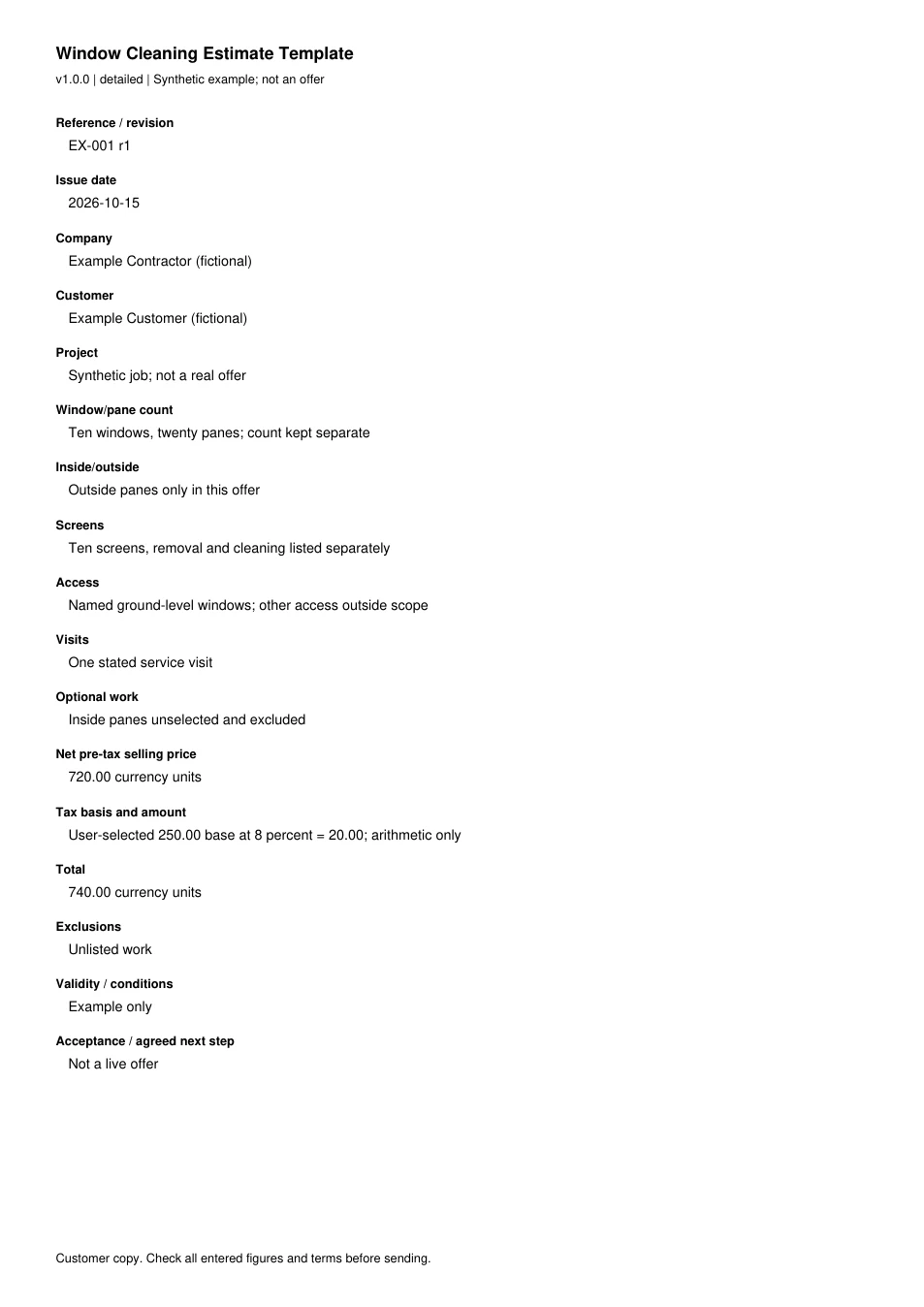
Read every field in the example
- Reference / revision
- EX-001 r1
- Issue date
- 2026-10-15
- Company
- Example Contractor (fictional)
- Customer
- Example Customer (fictional)
- Project
- Synthetic job; not a real offer
- Window/pane count
- Ten windows, twenty panes; count kept separate
- Inside/outside
- Outside panes only in this offer
- Screens
- Ten screens, removal and cleaning listed separately
- Access
- Named ground-level windows; other access outside scope
- Visits
- One stated service visit
- Optional work
- Inside panes unselected and excluded
- Net pre-tax selling price
- 720.00 currency units
- Tax basis and amount
- User-selected 250.00 base at 8 percent = 20.00; arithmetic only
- Total
- 740.00 currency units
- Exclusions
- Unlisted work
- Validity / conditions
- Example only
- Acceptance / agreed next step
- Not a live offer